


Stage once
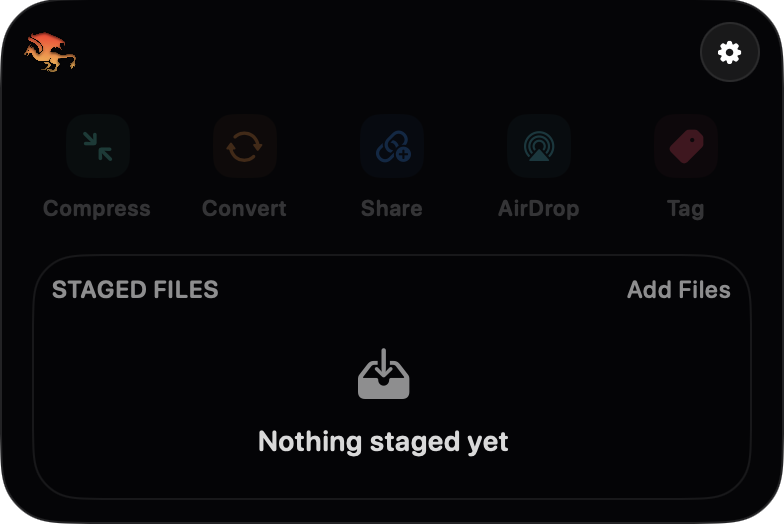
Drop files once, then keep moving without babysitting Finder windows.
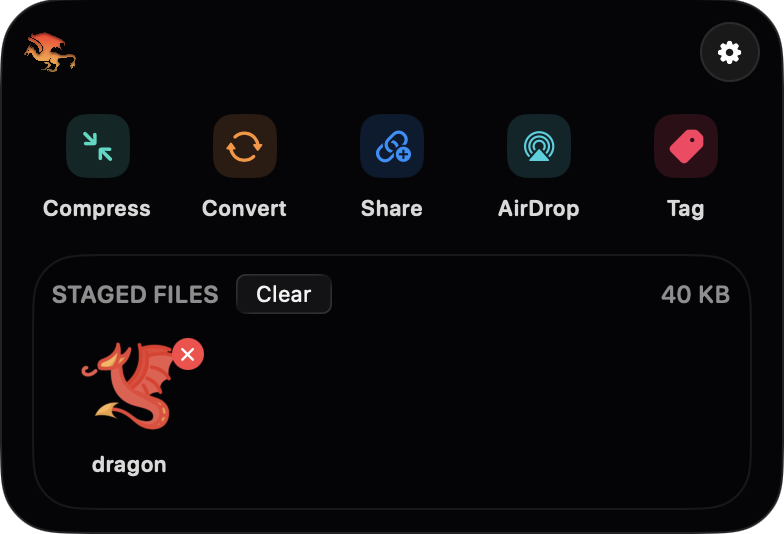
Dragon gives you a compact file station under the notch or in the menu bar, so you can collect files once and run fast actions without leaving the task you are already in.
Click the notch
Workflow
Drop files once, then keep moving without babysitting Finder windows.
Run the next file action from the same tight surface under the notch or menu bar.
Keep the utility close when needed and invisible when deep in actual work.
Actions
Reduce weight fast
Switch formats inline
Send without detours
Push across devices
Apply Finder labels
Move into watched folders
Formats
PNG, JPEG, HEIC, TIFF, BMP, GIF, WebP
WAV, AIFF, CAF, M4A, AAC, FLAC, MP3, OGG
MP4, M4V, MOV, AVI, MKV, MPEG
PDF, TXT, RTF, HTML, DOC, DOCX, ODT, Markdown